Lake Monsters list
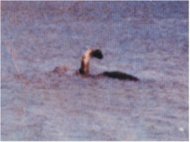
| Lake Monsters | |
|---|---|
| Background | |
| Type | Lake Monster |
| First Sighting | Unknown |
| Last Sighting | 2011 |
| Country | World |
| Habitat | Remote fresh or saltwater lakes of the world |
| Possible Population | Large |
A lake monster is a purported form of fresh-water or saltwater dwelling megafauna appearing in mythology, rumor, or local folklore. A well known example is the Loch Ness Monster. Lake monsters' depictions are often similar to some sea monsters. They are principally the subject of investigations by followers of the study of cryptozoology and folklore. Many lake monsters were considered to be dragon like sea serpents in the early sightings, however, most of all lake monster sightings in modern times describe the beasts to have long necks and large bodies with flippers. This description matches that of an order of reptiles that existed during the time of the dinosaurs, called the plesiosaurs. Plesiosaurs first appeared in the Early Jurassic (and possibly Rhaetian, latest Triassic) Period and became especially common during the Jurassic Period, thriving until the K-T extinction at the end of the Cretaceous Period.
The name "plesiosaur" is used to refer to the order Plesiosauria as a whole, not only to the long-necked forms (suborder Plesiosauroidea). These latter constitute the plesiosaurs in the popular imagination ("Nessie ").
Plesiosaurs
The typical plesiosaur had a broad body and a short tail. They retained their ancestral two pairs of limbs, which evolved into large flippers. Plesiosaurs evolved from the earlier nothosaurs, who had a more crocodile-like body; major types of plesiosaur are primarily distinguished by head and neck size. Members of Plesiosauroidea such as Cryptoclididae, Elasmosauridae, and Plesiosauridae had long necks and may have been 'bottom-feeders', in shallow waters. Most pliosaurs and rhomaleosaurs, however, had shorter necks with a large, elongated head and may have been at home in deeper waters. All plesiosaurs had four paddle-shaped 'flipper' limbs. This is an unusual arrangement in aquatic animals and it is thought that they were used to propel the animal through the water by a combination of rowing movements and up-and-down movements. There appears to have been no tail fin and the tail was most likely used for helping in directional control. This arrangement is in contrast to that of the later mosasaurs and the earlier ichthyosaurs. There may be similarities with the method of swimming used by penguins and turtles, which respectively have two and four flipper-like limbs.
In general, the plesiosaurians are among the largest marine predators of all time, with the smallest about 2 m (6.5 ft) long. The largest pliosaurs were up to 15 m long. Plesiosaurs grew even longer; Mauisaurus was 20 meters long. However, the late Triassic ichthyosaurs, such as shastasaurids are known to have reached 21 m in length. Modern large marine animals such as the sperm whale (20 m), and especially the blue whale (~30 m) all grew larger than currently known plesiosaurians. The anteriorly placed internal nostrils have palatal grooves to channel water, the flow of which would be maintained by hydrodynamic pressure over the posteriorly placed external nares during locomotion. During its passage through the nasal ducts, the water would have been 'tasted' by olfactory epithelia.
бетбум.ру
You might also like

|
Tosbuy Men's Slip on Water Shoes,beach Aqua,hiking,surfing,running Sneakers (Eu43) Orange Shoes ()
|

|
Lego Parts: Plate, Modified 1 x 4 with Pin Hole and Bucket - Catapult (PACK of 2 - Dark Brown) Toy (B&F-BuildPacks)
|


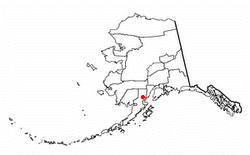 Iliamna Lake or Lake Iliamna is a lake in southwest Alaska, at the north end of the Alaska Peninsula, between Kvichak Bay and Cook Inlet, about 100 miles (160 km) west of Seldovia, Alaska.
 The Loch Ness Monster (Scottish Gaelic: Niseag) is a cryptid that is reputed to inhabit Loch Ness in the Scottish Highlands. It is similar to other supposed lake monsters in Scotland and elsewhere, though its description varies from one account to the next. Popular interest and belief in the animal has varied since it was brought to the world's...


